Slaide Help50 articles
How can we help?
Step-by-step guides and short answers for everything around Slaide, checked against the product.
Browse by topic
Getting startedFrom your first request to a finished document: how Slaide works, what it can and cannot do, how to write a good brief, how to sign in and what its terms mean.How Slaide works: brief, plan, build, exportCreate your first document in SlaideHow to write a good brief for SlaideWhich document types Slaide can create10 articlesCreate and editWrite a good brief, change single pages, undo, research the web, apply your brand, present and animate: everything about creating and editing.Edit your document and undo changesChange text, colors and layout by handAdd, duplicate, move and delete pagesVersion history: see and restore earlier states15 articlesFiles and exportWhich files Slaide reads, how importing works, what PowerPoint, Word, PDF and Excel exports contain, and how to share a document.Files and exports: PDF, Word, Excel, PowerPointWhat stays editable in the PowerPoint export6 articlesAccount and billingPlans, credits and prices, invoices and payment, cancelling, inviting friends, privacy and deleting your account.Plans and pricing: Free, Plus, Pro and MaxHow credits work in Slaide10 articlesApps and integrationsUse Slaide from Chrome, inside PowerPoint or from an AI assistant: setup steps, permissions and what each connection can do.Slaide for Chrome: turn a web page into slidesThe Slaide add-in for PowerPoint3 articlesTroubleshootingWhen an upload fails, a build stops, an export looks different or you cannot log in: causes, fixes and what to send to support.Why an export looks different from the editorDocument build stopped or failedNot enough credits: causes and fixesFix a file that will not upload6 articles
Frequently asked
Getting startedCreate your first document in SlaideTo create your first document, sign in, describe what you need in the box on the start screen and click Generate.Getting startedHow to write a good brief for SlaideA good request tells Slaide what the document is, who reads it and what it should achieve, and gives the figures, tone and sources that matter.Getting startedSlaide features and limits at a glanceSlaide turns a written request into editable presentations, reports, one-pagers, posters and Excel models in your browser and exports PowerPoint, Word, PDF, PNG, JPG and Excel files.Files and exportFiles and exports: PDF, Word, Excel, PowerPointSlaide reads PDF, Word (.docx), Excel (.xlsx), PowerPoint (.pptx), images and text files as context, up to 30 MB per file.Files and exportWhat stays editable in the PowerPoint exportSlaide exports presentations as a real .pptx: text becomes editable text boxes with PowerPoint bullets, shapes stay shapes, tables become tables and speaker notes land in the notes pane.Account and billingPlans and pricing: Free, Plus, Pro and MaxSlaide has four plans. Free gives you one document with 3 built pages.
Your first document in four steps
This is what happens when you describe what you need.
1
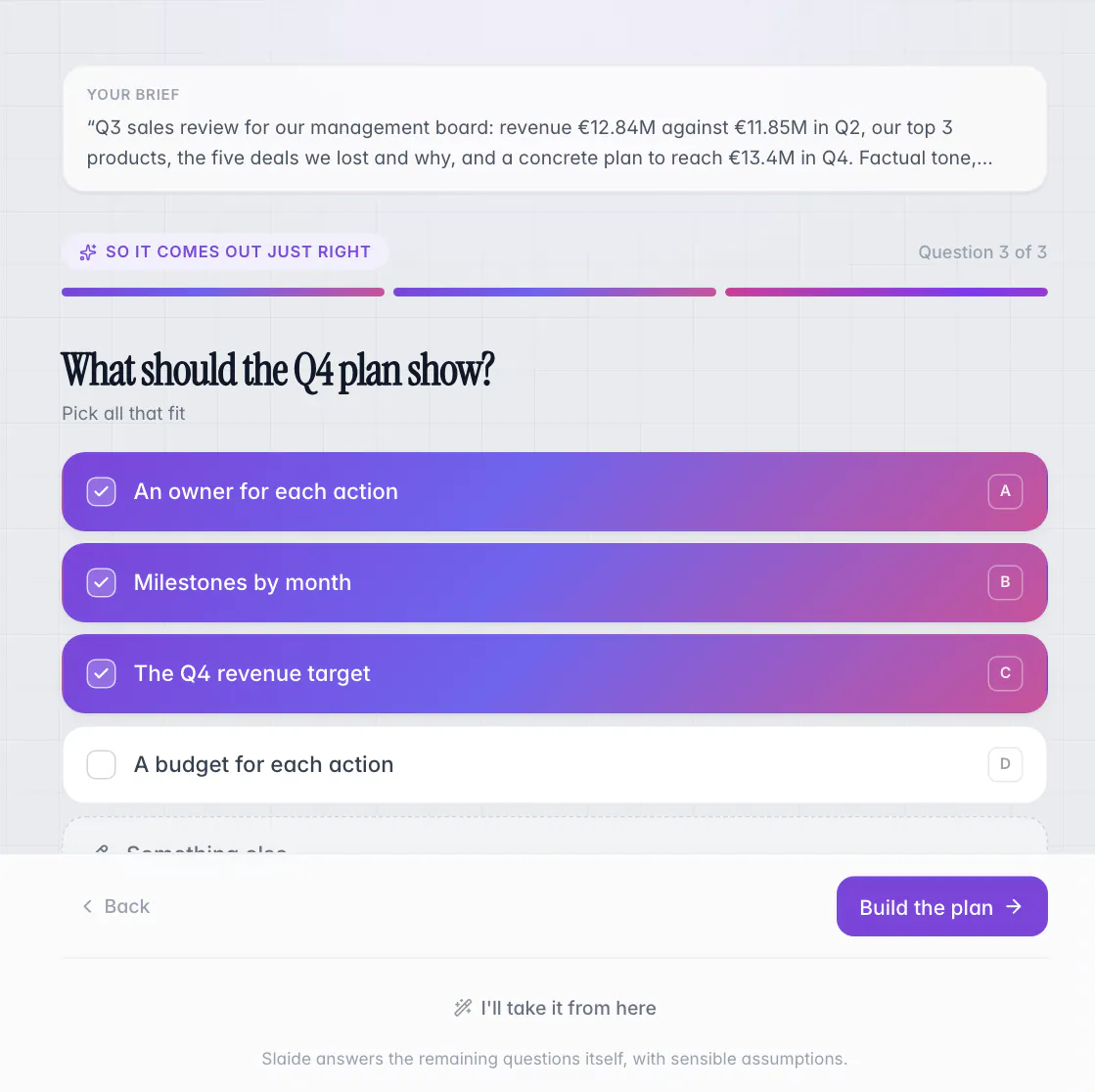
Describe what you need
Write a request in plain words and attach files if the facts should come from you. Slaide asks a few short questions when something matters.
2
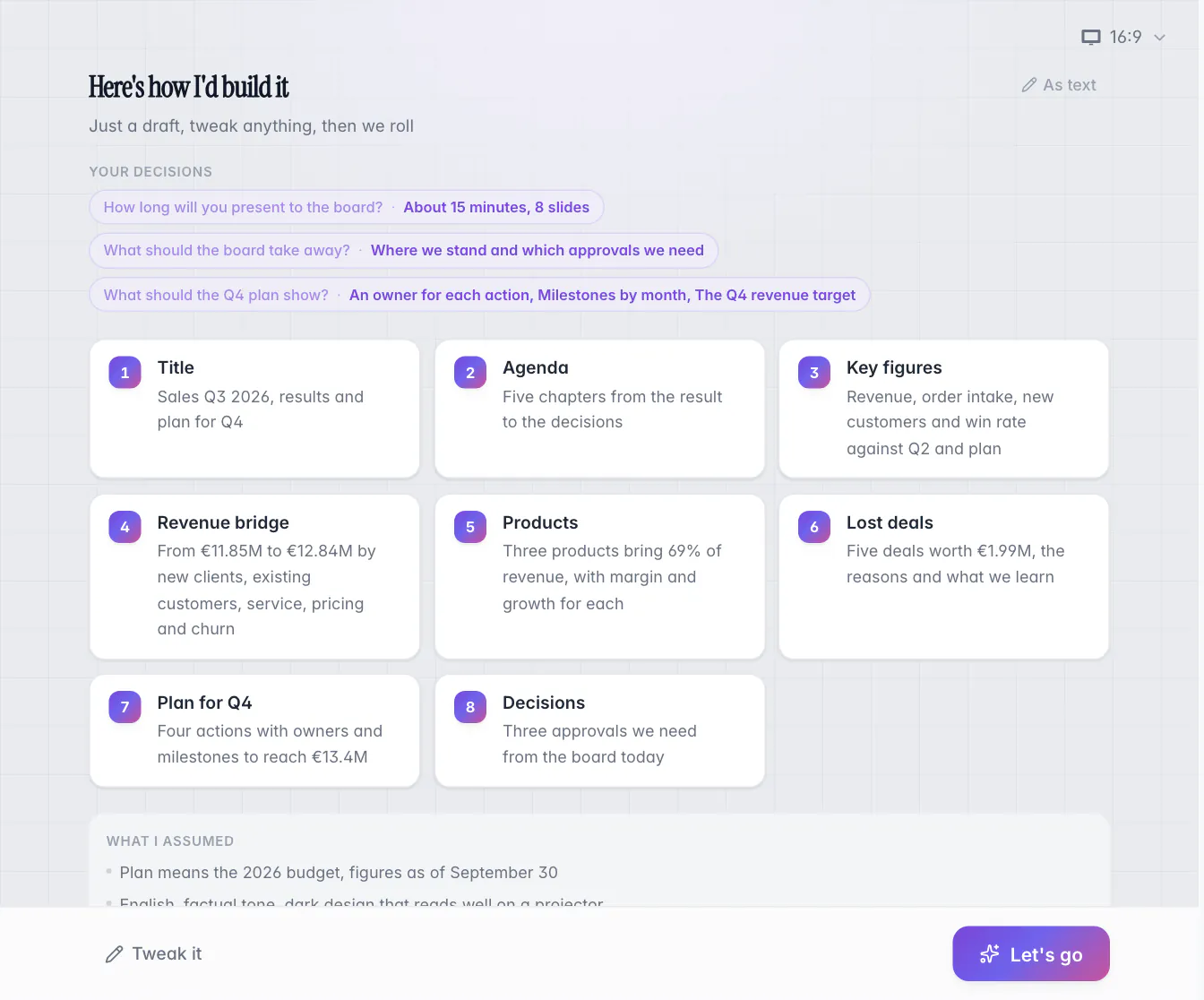
Check the page plan
Before anything is built you see the plan: one card per page with its title and content, plus the assumptions Slaide made. Tweak it or go.
3
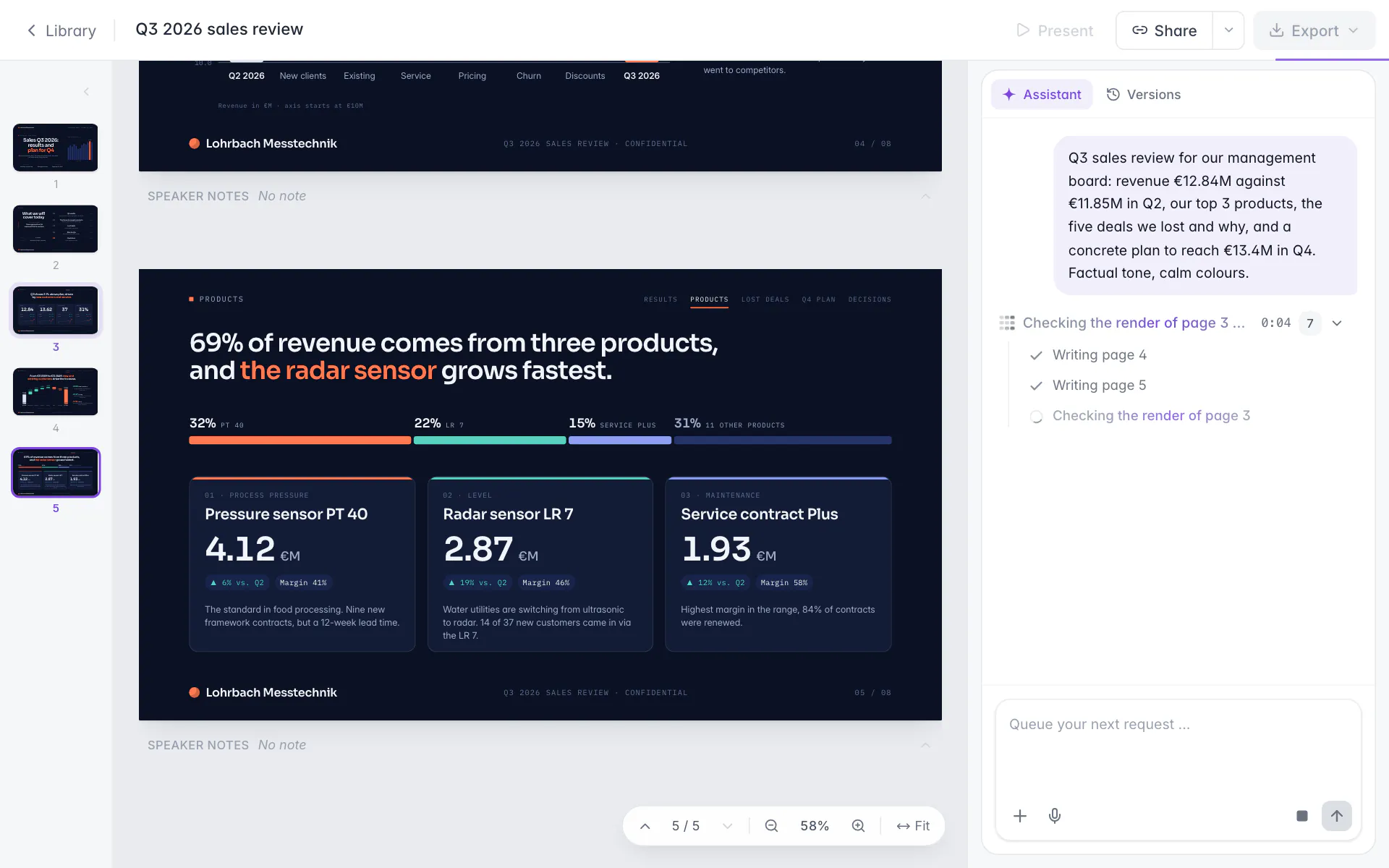
Watch it being built
Pages appear one after another while the assistant panel lists what it does, including the render check of each page.
4
Edit and export
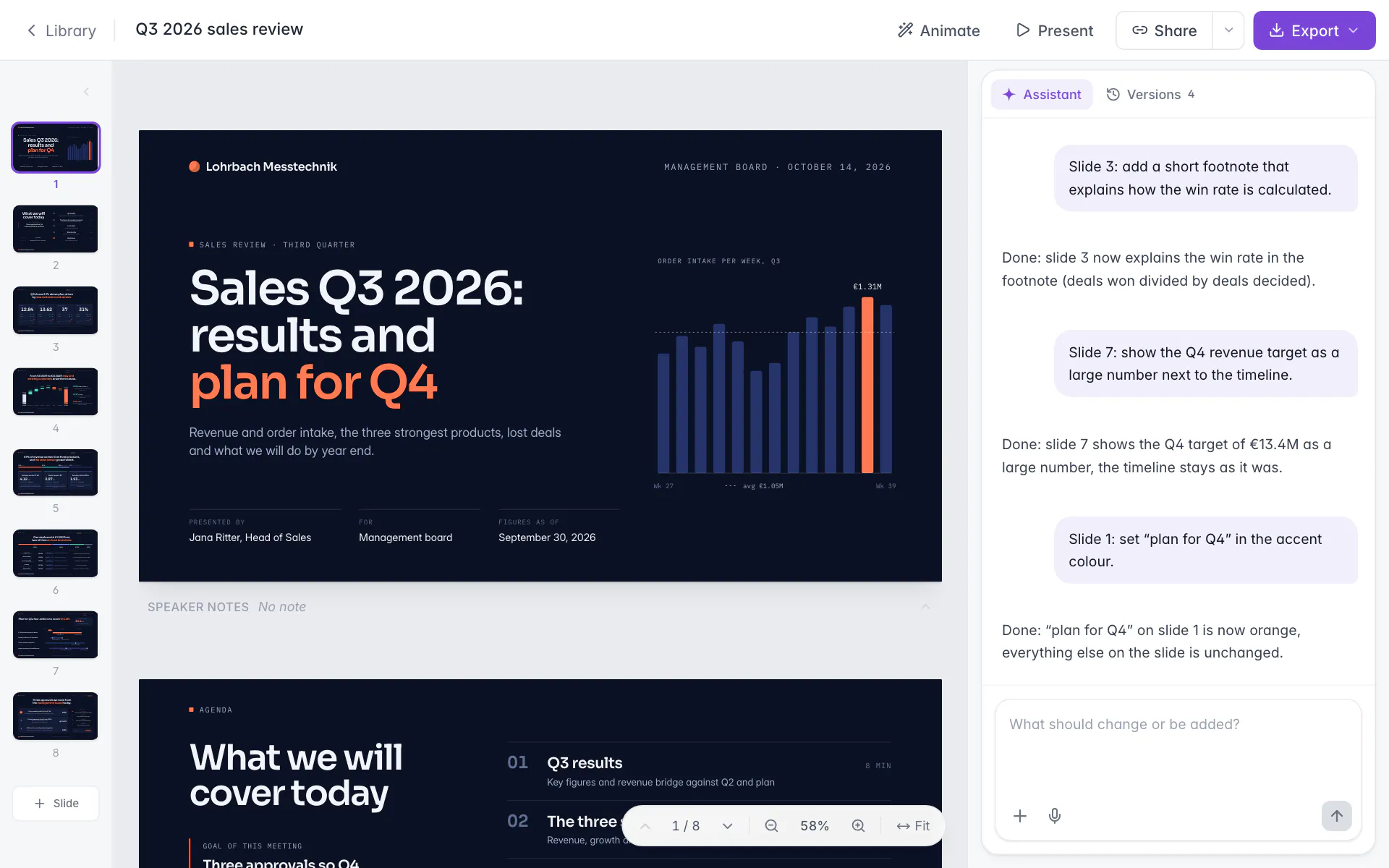
Change anything by clicking or by asking, undo what you do not like, then export to PowerPoint, Word, PDF or images.
Create your first document in Slaide